How it works
Start simple. Set things up once. Let Cadence carry the load.
No complex setup. No training needed. Most churches are up and running with teams configured, volunteers added, first rotas generated in under an hour.

1. Tell Cadence about your church
Add your teams, roles, and how many people you need for each service. Cadence walks you through it step by step: church, teams, service, volunteers, and rota, so nothing gets missed and you're ready to go.
2. Bring your volunteers in — fast
Import your volunteers using a CSV spreadsheet in minutes, or add them manually. Assign people to teams and roles as you go — Cadence combines anyone on multiple teams into one volunteer automatically.

3. Generate your first rotas — balanced and ready
Cadence builds a balanced draft rota — prioritising volunteers who've had a rest, spreading serving fairly, and flagging anything it couldn't fill. Your first four rotas are generated automatically, ready to review and publish.

4. Review with clarity and confidence
Every assignment shows a plain-English reason — who was chosen and why. If something looks off, you can change it and Cadence adapts. Nothing is shared with your team until you're ready to publish.
Learn More →
5. Publish when you're ready for volunteers to see it
Nothing is sent until you publish — you stay fully in control. Each volunteer sees their own personalised view: when they're serving, what role, and who they're serving with. No app. No password.
Learn More →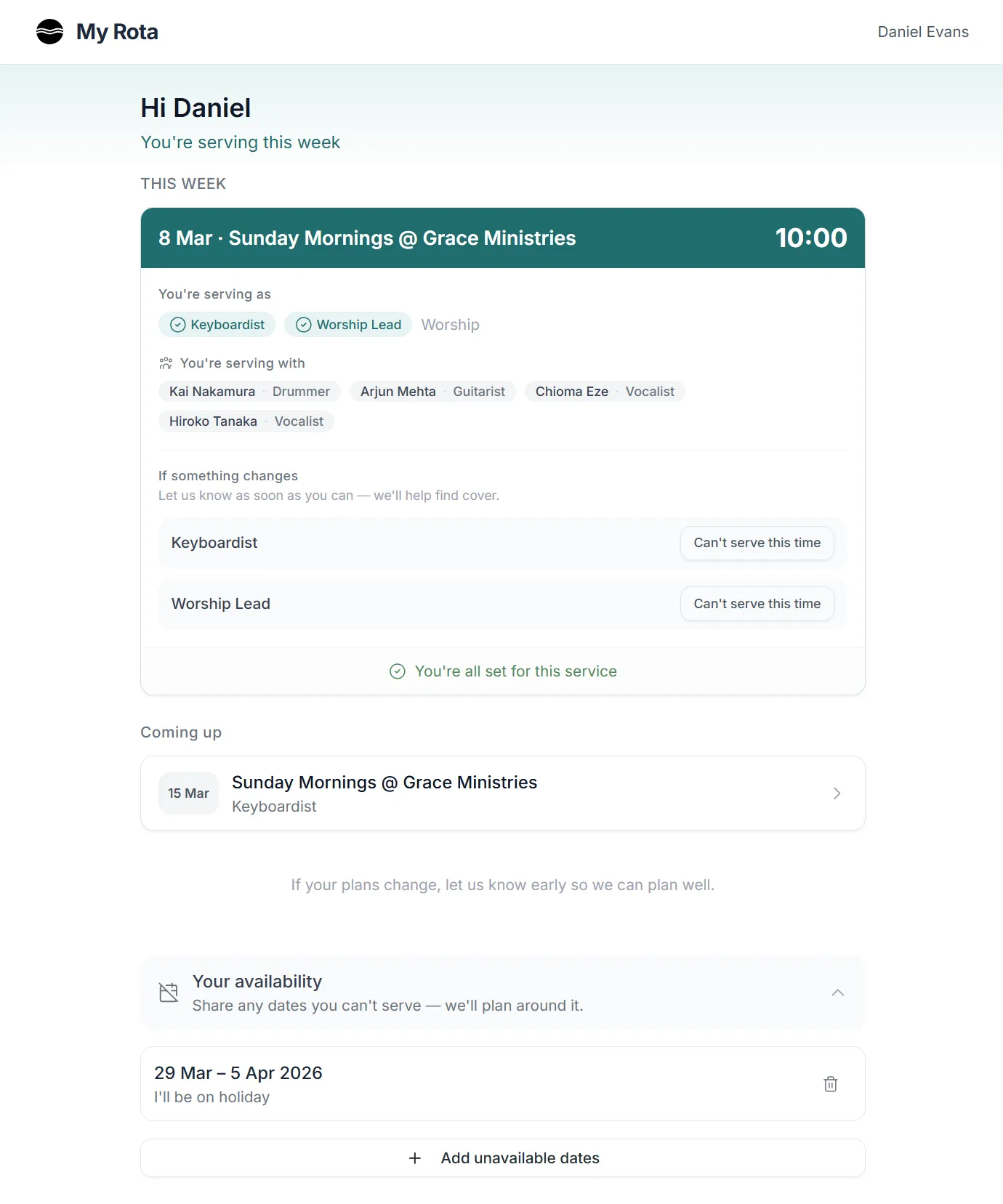
Your rotas take less time. Your team keeps going.
Cadence doesn't just fill slots — it builds fair, balanced rotas from the start, shows you what's fragile before it becomes a problem, and gives every volunteer a clear, simple view of when they're serving.
Less chasing. Less guessing. More time for everything else.
Most churches publish their first four rotas as part of onboarding — and planning the next round takes just a few minutes.
Get early access for your church
Private beta open now — UK churches onboarding with founder-led support.
We’ll come back to you shortly.
If the issue continues, feel free to email us directly.